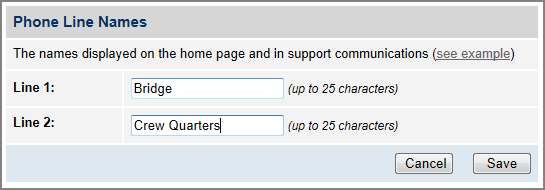
The phone line names are displayed on the Home page of the TracPhone V11-IP web interface. They also appear in all technical support communications. For example, you might assign the name “Bridge” to Line 1 and “Crew Quarters” to Line 2 (an additional monthly fee applies to the optional second line).
To assign a name to each active phone line, follow these steps:
At the TracPhone V11-IP web interface, click the Settings tab. Then click Other.
In Phone Line Names, click Edit.
If the Login window appears, log in with the Administrator password.
Enter names for Lines 1 and 2.
Click Save.
Assigning Phone Line Names